
Download Xtract – AI‑Powered Text Extraction & Content Insight Tool
Overview
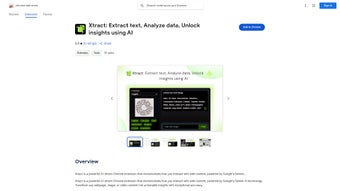
Xtract is a groundbreaking Chrome extension that brings the power of Google’s Gemini AI directly into your browser. Designed for students, researchers, professionals, and content creators, Xtract excels at extracting text, images, and video transcripts from any web page with a single click. Its Quick Snip Tool captures screen sections instantly, while the built‑in AI chat lets you discuss the extracted material in real time, turning raw data into actionable insights.
Multi‑language support means you can pull content from sites in Spanish, French, Mandarin, and dozens of other languages, making Xtract a truly global tool. Beyond plain extraction, the extension automatically converts data into visual graphs, charts, and infographics, helping you present information in a compelling format without leaving the browser. Privacy‑first design ensures that all processing happens locally; Xtract never stores or transmits personal data to external servers.
Whether you need to pull a citation from a research article, capture a product description for an e‑commerce listing, or simply summarize a YouTube video, Xtract provides a fast, secure, and free solution that updates automatically through the Chrome Web Store.
Key Features
- AI‑driven text extraction from webpages, images, and video subtitles using Gemini technology.
- Quick Snip Tool for instant screen capture and on‑the‑fly analysis.
- Multi‑language support covering over 30 languages.
- Automatic conversion of extracted data into graphs, charts, and visual summaries.
- Integrated AI chat for intelligent discussion and summarization of content.
- Visual Recognition that adds contextual information to images and video frames.
- Privacy‑first architecture: all processing occurs locally, no data is stored or transmitted.
- Free to download, with regular updates that improve accuracy and add new language packs.
- Seamless integration with Chrome on Windows, macOS, Linux, Chrome OS, Android, and iOS.
- Lightweight footprint that does not slow down browsing performance.
Installation & Usage Guide
Step‑by‑Step Installation
Installing Xtract is straightforward and takes less than a minute. Open the Chrome Web Store, search for “Xtract AI Extraction,” and click the “Add to Chrome” button. A permission dialog will appear, requesting access to read and change data on the sites you visit – this is necessary for the extension to read page content and perform extraction.
After confirming, the Xtract icon appears next to the address bar. The extension updates automatically, ensuring you always have the latest AI models and language packs without manual intervention. For users on Android or iOS, open Chrome, navigate to the Web Store, and follow the same add‑to‑Chrome process; the extension syncs across devices using your Google account.
How to Extract Content Efficiently
Once installed, using Xtract is as simple as right‑clicking on any page element. Choose “Extract with Xtract” to pull text from paragraphs, tables, or captions. For images and video frames, select the “Visual Recognition” option; Xtract will analyze the visual content and return a concise description, keywords, and any embedded text via OCR.
The Quick Snip Tool can be activated by clicking the extension icon and dragging a rectangle over the desired area – the tool then extracts text and provides a summary instantly. If you need a deeper analysis, open the built‑in AI chat from the sidebar, paste the extracted snippet, and ask for a summary, translation, or data visualization. All results are displayed in a clean overlay that can be saved as a PDF or copied to the clipboard for later use.
Compatibility
Xtract works on the Chrome browser across all major operating systems: Windows 10/11, macOS Ventura and later, Linux distributions that support Chrome, Chrome OS, as well as mobile Chrome on Android 8.0+ and iOS 13+. Because the extension runs entirely within the browser, there is no need for separate desktop or mobile apps, making it a truly cross‑platform solution for anyone who needs fast, secure content extraction.
Pros, Cons & Frequently Asked Questions
Pros
- Highly accurate AI extraction powered by Google Gemini.
- Supports more than 30 languages, ideal for international research.
- Instant visual summaries and auto‑generated graphs save time.
- Privacy‑first: all data stays on the user’s device.
- Free to download with regular, automatic updates.
- Works on desktop and mobile Chrome, covering all major OS platforms.
Cons
- Requires the Chrome browser; not available for Firefox or Safari.
- Heavy reliance on a stable internet connection for the latest AI models (initial model load).
- Advanced visual recognition may struggle with low‑resolution images.
- Some features, like batch processing, are limited in the free version.
FAQ
Can Xtract be used offline?
Yes. After the initial model download, Xtract processes all content locally, so you can extract text and images without an active internet connection.
Is there a limit to how much text Xtract can extract at once?
The extension can handle full‑page extraction, but extremely large pages (over 200 KB of raw HTML) may be split into multiple chunks to maintain performance.
Does Xtract collect any personal data?
No. All processing happens inside your browser, and the extension never stores or transmits your extracted content to external servers.
How often is Xtract updated?
Updates are released monthly, bringing new language packs, improved OCR accuracy, and feature enhancements automatically through the Chrome Web Store.
Is Xtract free for commercial use?
Yes. Xtract is free for both personal and commercial users. A premium plan with batch processing and priority support is planned for future release.
Conclusion & Call to Action
Xtract stands out as a versatile, secure, and completely free AI tool that transforms the way you interact with web content. Its ability to extract text, images, and video transcripts across multiple languages, combined with instant visual summarization, makes it an indispensable companion for anyone who regularly works with online information. The privacy‑centric design ensures that your data never leaves your device, a critical factor for researchers and professionals handling sensitive material. While the extension is limited to Chrome, its cross‑platform availability on Windows, macOS, Linux, Android, and iOS means you can stay productive wherever you browse. If you’re looking for a reliable, AI‑enhanced extraction solution that updates automatically and respects your privacy, Xtract is the answer.
Ready to boost your productivity? Download Xtract now and start turning web pages into actionable data with just a click.






